




Giving a presentation when the attendees need API keys can sometimes be tricky. You can of course share the keys in advance, but maybe something happens and you need to update them, blasting a new mail for every API Key change isn’t the best solution. Another option is to have some public link where, like a google sheet, where you put those API Keys and then share the Link to that sheet. But this comes with a different set of challenges, copy&paste errors or other small frictions that for sure will happen when holding a in person workshop for 100+ people. If you are alone and have to sort these issues out it will certainly derail your workshop. Also imagine having multiple API keys, maybe rotating them for each workshop at some point it seems like you would need an app for this whole thing.
This is exactly how it was at the Vienna Starter Session hosted by Aemal Sayer, while I could take care of these issues Aemal could continue with his workshop, but it got me thinking, how could this be improved and how can n8n be used here?
Saving the API Keys in Datatable
The new n8n datatables feature is a good place to store these API Keys. Under normal circumstances I would not recommend to store API Keys in data tables or anywhere outside the n8n credentials, but in this case you are sharing these with 100+ people, will be on photos and video so I assume that the API Keys will expire after the workshop. This will give you the possibility to easily change the API Keys or set the to expired, even creating a different workflow to update / disable them as required.
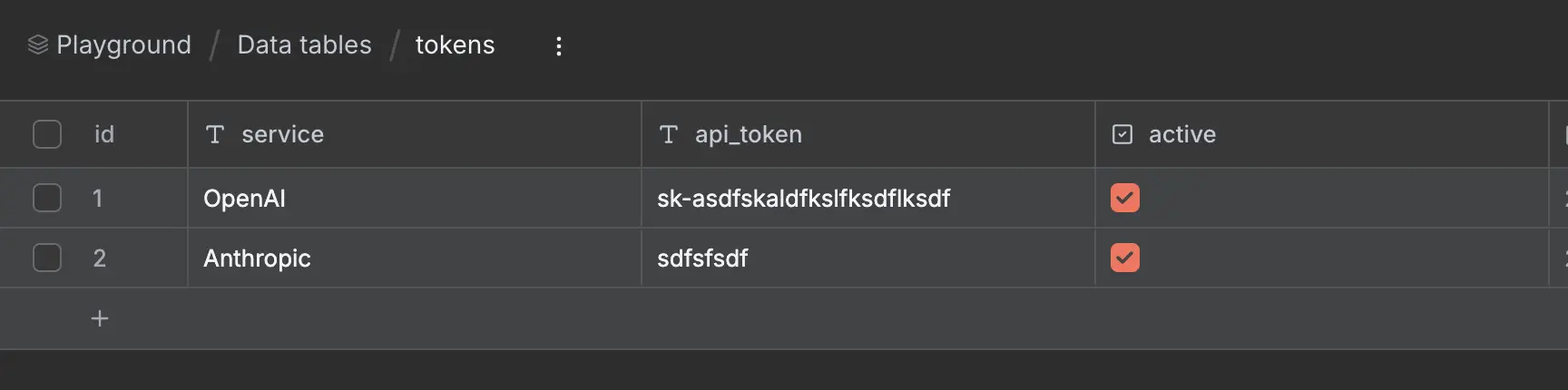
data tables
Creating a webhook
All you need now is to create a GET webhook to load this data
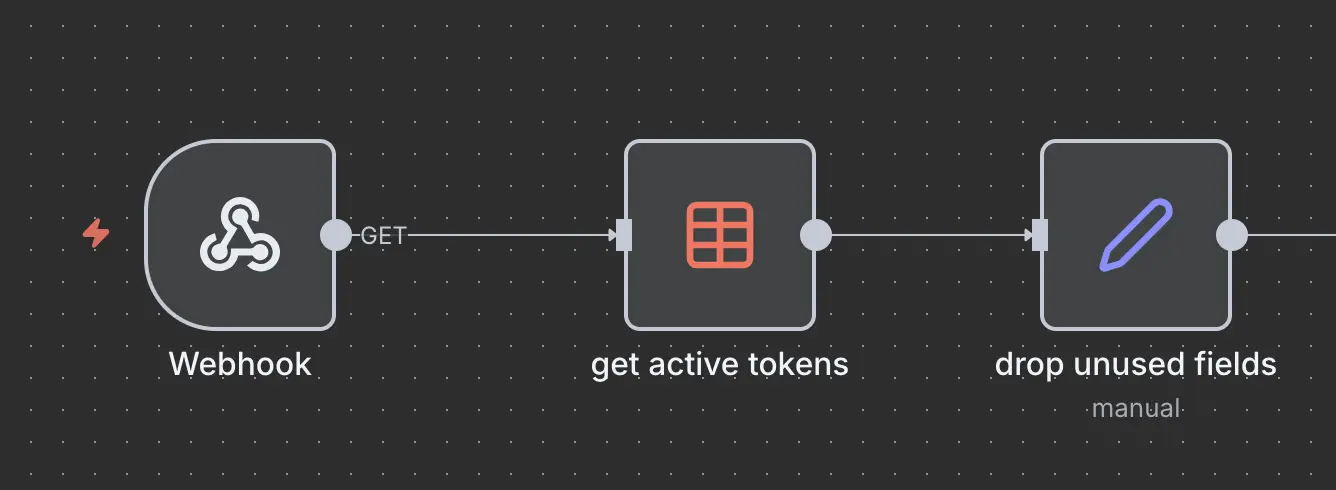
Webhook workflow
Ok, all great, we have the API Keys, but just dumping them on the browser as JSON will certainly not improve things for the attendees, or solve any copy & paste issues. Wouldn’t it be great to just have a table display them, a nice option to just click somewhere and have that long API key in your clipboard not having to go through the hassle of selecting it. Wouldn’t it be amazing if you could just create a HTML Page in n8n and display that?
Well, that is exactly what we will do now.
Displaying the API Keys
The respond to webhook node has a few options, on of them is “Text - Respond with a simple text message body”
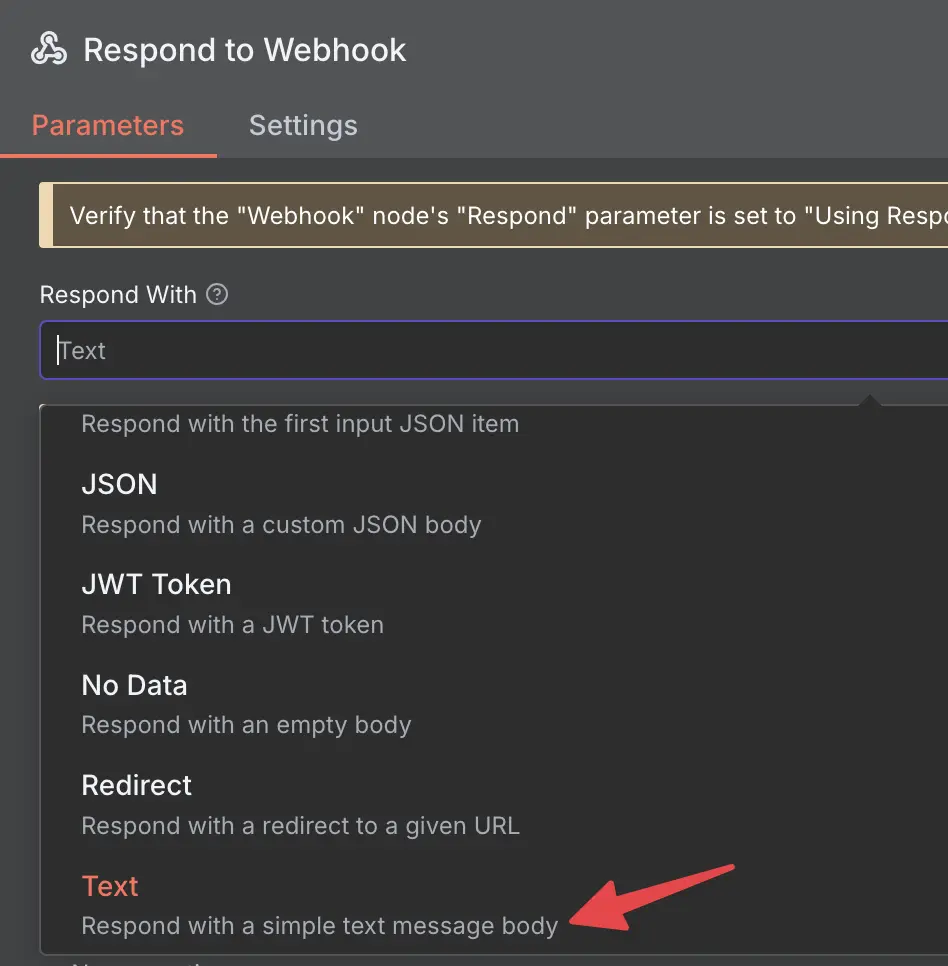
respond to webhook settings
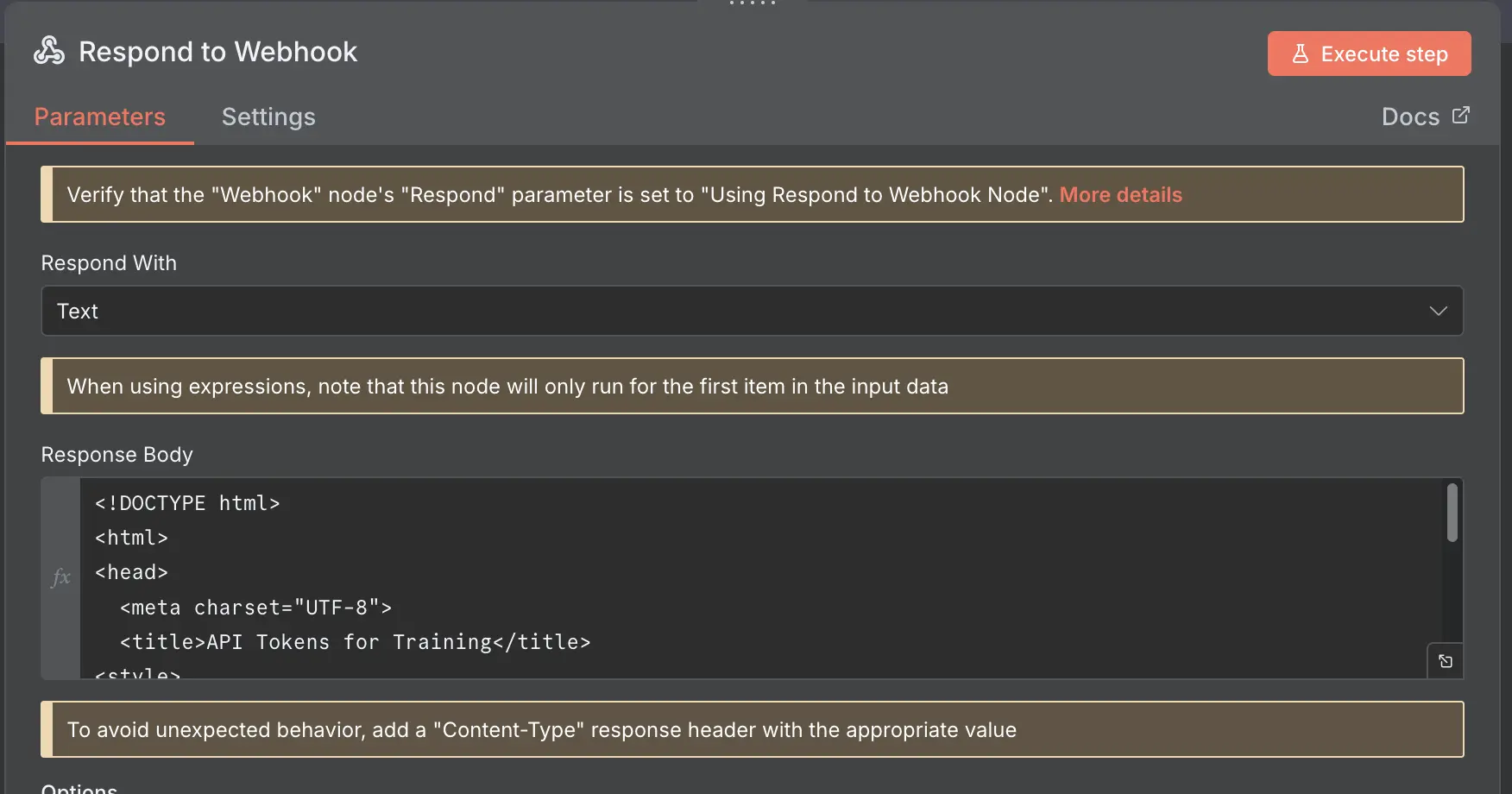
HTML in Respond to webhook
Add the data to a simple HTML Table without formatting with the html table node from n8n
The result
A nicely formatted HTML page, where you can just click on the API Keys and it will add them to the clipboard.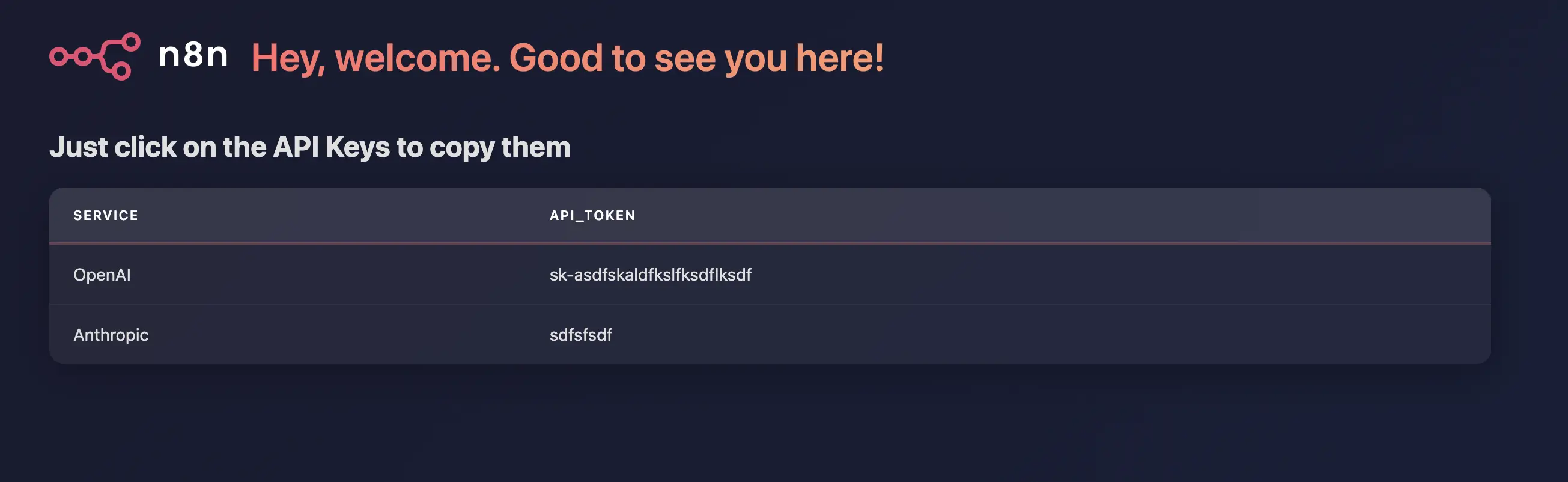
Resulting HTML
Word of caution here
As the n8n Documentation also states:
When using the HTML node to generate an HTML template you can introduce XSS (cross-site scripting). This is a security risk. Be careful with un-trusted inputs.
so really be careful what data you are displaying here and preferably do not use any user generated data in the html.
Download the workflow
Download the workflow and import it into your n8n instance, update it, improve it, share it.